



















Global Component Shortage Bulletin: Providing regular updates on global component availability and supply chain conditions. Learn more.

Xplore Pop-up Classroom Sessions

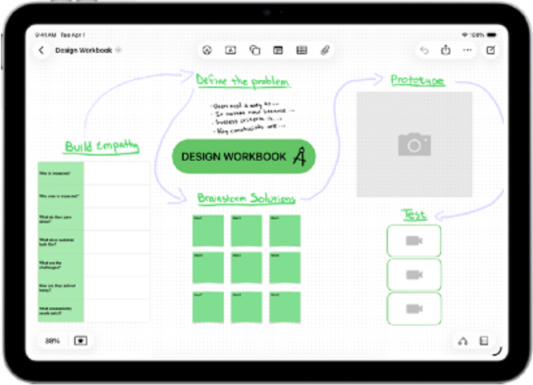
eXperience the iPad in action

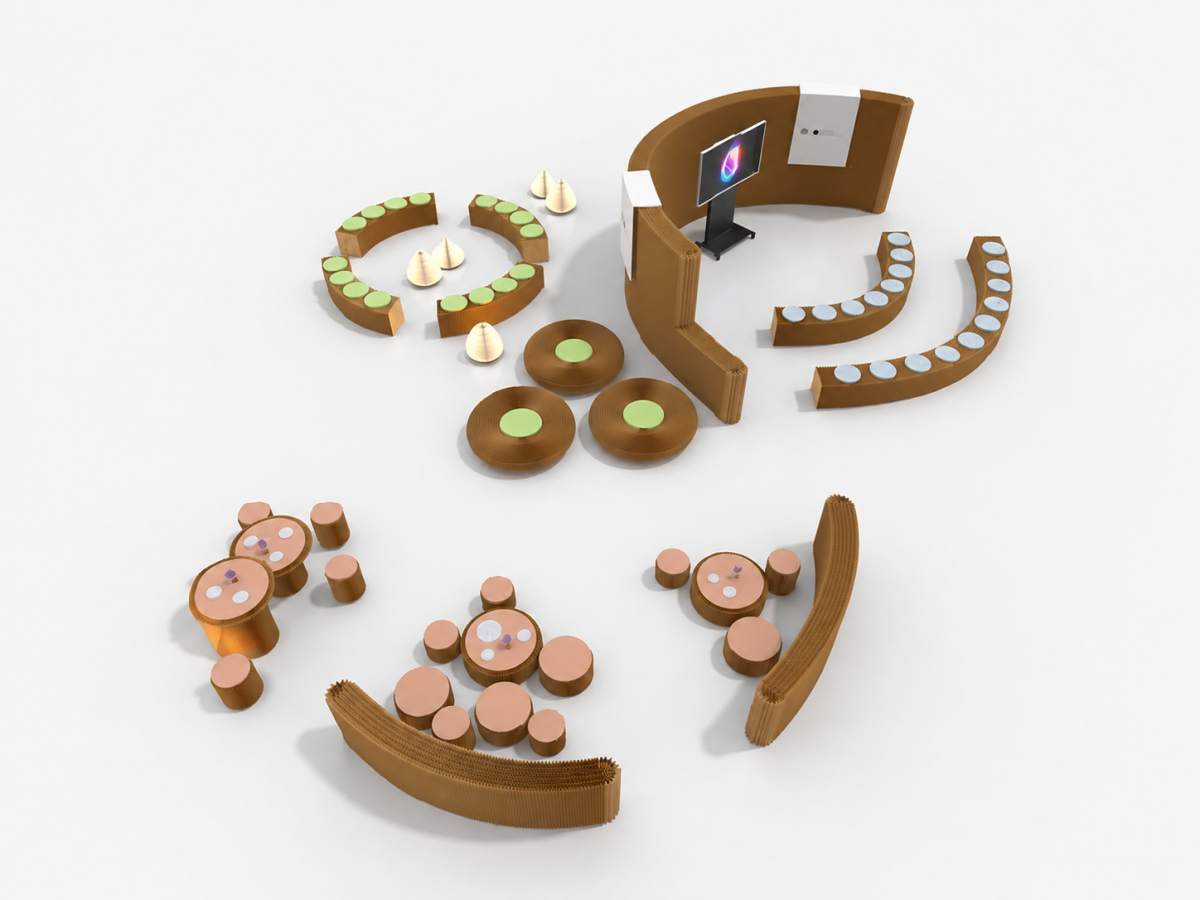
Our pop-up classroom transforms your space into an immersive learning environment. We bring the classroom, the technology and the expertise directly to you, creating hands-on sessions that give educators & learners the opportunity to explore the full capabilities of Apple in education. From interactive demos to practical activities, every session is designed to get the audience involved and learning by doing.
XMA and Apple

Sessions that bring learning to life

Create something from scratch. Discover tools you didn’t know existed. Learn techniques you can put into practice straight away.

Our growing programme of hands-on sessions covers a range of skills, technologies and creative possibilities. From getting the most out of your iPad to exploring creativity, productivity and new ways of working, each session makes learning approachable, engaging and, most importantly, practical.

Sessions that suit your needs

We aim to deliver engaging sessions that empower leadership teams and educators to make the most out of Apple technology.

Choose from a range of topics, technologies and digital skills, and we’ll tailor each session to suit your objective using our pop-up classroom to create an immersive and memorable environment.

Explore the sessions available to support your teams.

The 3 Key Pillars of Xplore Pop-up Classroom Sessions

Teaching and Learning, Leadership, Deployment and Management.

Teaching and Learning

iPad for Literacy and Numeracy

Explore how iPad supports learners on their Literacy and Numeracy journey, from early years onwards.

Guiding activities
- Using Camera and Markup
- Maths Oracy with Magma Maths
- Podcasting for Oracy with Garageband
- Storytelling through AR with ARMakr

Book a session today to explore how iPad can support your learners to develop numeracy and literacy skills.

iPad – A day in the life

In this session we’ll excite your curiosity about iPad. You will explore, as a student, what a rich learning experiences can look like, including the workflow that helps keep the pace and challenge appropriate.

Guiding activities
- Workflow and workload via Showbie
- Creativity through Garageband and iMovie
- Coding with Markup and Swift Playgrounds
- Collaboration through Keynote

Empower your staff with the knowledge on how to create more engaging learning experiences with iPad.

Leadership

The Why of 1:1 iPad

This session explores the iPad ecosystem from a learning and teaching, safeguarding, and management perspective.

Guiding activities
- Explore your vision for leading with Apple technology
- Testimonials for Leadership teams
- Case Studies and Student feedback
- The Learning experience and SAMR/TPACK models
- Planning Essentials example

Ensure your leaders are equipped with the knowledge on how they can lead with Apple technology.

Lead with Apple Professional Learning

Discover effective Apple Professional Learning experiences that are specifically tailored for leaders. Learn about what’s possible, and think strategically about how each experience can help you plan for success.

Guiding activities
- Explore common challenges that institutions experience
- Define relevant next steps with Apple Professional Learning

Explore more ways for professional learning with Apple technology.

Deployment and
Management

Education Deployment Fundamentals

Discover a range of powerful learning opportunities for deploying iPad in schools. Explore key strategies, practical tools, and real-world examples that spark conversation about meaningful integration.

Guiding activities
- Create a vision for the future of learning in your institution
- Identify key priorities for growth
- Discover tools to enhance productivity and amplify collaboration
Incl Education Deployment checklist

Take the next step towards a more inclusive, connected learning experience.

Education Deployment Checklist

Support your deployment leadership team with the knowledge to go from the initial idea to full deployment implementation. Track the progress of leadership, IT, and curriculum teams with this interactive checklist.

Guiding activities
-Assemble deployment leadership team and establish student-oriented goals
-Prepare IT infrastructure
-Integrate teaching and learning tools, and design the user experience

Find out how to build a clear, confident path from your initial idea to a successful full deployment.

How XMA Can Support Your
Organisation with Apple Solutions

Speak to an Apple specialist at XMA

Speak to a Specialist

Our IT specialists help organisations of all sizes deploy Apple technology seamlessly and effectively. Get in touch to discover how we can support your goals with tailored solutions and expert guidance.

Apple Procurement with XMA

Apple Procurement

Whether you're equipping an institution, organisation, or individual users, XMA offers tailored solutions to meet your needs. With expert guidance and seamless procurement through to our XMA Store, EDU Store.

Apple Professional Learning

Apple Professional Learning (APL) is a comprehensive programme designed to support educators and institutions, helping to effectively integrating iPad and Mac into teaching and learning practices.

Apple Professional Services

Apple Professional Services

Discover our deployment services, including configuration, and ongoing support. We can help you to ensure that your organisation gets the most out of its Apple estate, with expert care every step of the way.

Apple Financial Services

Apple Financial Services

It's easier than ever to bring Apple products into your institution with innovative financing options from Apple Financial Services (AFS). Get the products and services you need, when you need them.

Accessibility Audits

Apple technology supports vision, hearing, motor skills, learning, and literacy needs for every student. A wide range of built-in intuitive features enables students to personalise their device to support own individual needs.

Our Education Partners

Over the years, we've explored countless classroom tools and selected the ones teachers say truly enhance learning and teaching. These versatile apps, tools, and accessories can help to support and foster creativity.

Apple Lifecycle Management

Whether you're adopting Apple devices for the first time, transitioning to new devices, migrating data, or managing ageing assets, XMA provides tailored lifecycle management solutions to meet your needs.

Apple Device Upgrades

Upgrade your institution's Apple devices with XMA's Device Upgrade Programme. By combining asset repurchase with Apple Financial Services, you can unlock the residual value of your ageing devices and reduce upfront costs.

Apple Sustainability

Sustainability

Choosing suppliers and technologies with strong environmental credentials is a vital step towards reducing our impact on the planet. By selecting products and partners committed to eco-friendly practices, we can support efforts to lower carbon footprints.

Book an Xplore Pop-up Classroom Session

We bring the classroom, the technology and the expertise directly to you. For more details, get in touch.

By submitting this form, you consent to be contacted about products and services from XMA – XMA is committed to safeguarding your privacy. If you want more information on how we collect and use your personal data, please read our Privacy Policy.

Fill in the Form to Download the Case Study

Fill in the Form to Download the Case Study

Fill in the Form to Download the Case Study

Skip to content
Monitoring by Hotjar Monitoring by Hotjar