

This is the fourth in a series of blog posts exploring Android Desktop. Our Head of Pre-Sales, Scott Wright, will be looking at the current state of Android Desktop, following its improvement as release approaches, examining use cases, looking at essential apps & peripherals and more.

Scott Wright
Scott is XMA’s Head of Pre-Sales. An IT industry greybeard, he believes strongly that proper planning & preparation prevents poor performance.
Something a little different for this one – I sat down with Charlotte King, XMA Group’s Head of IT Security & Compliance to discuss her thoughts on how a shift to an Android device as the primary (only) device for some users might affect security and compliance. Below are my notes from that conversation.
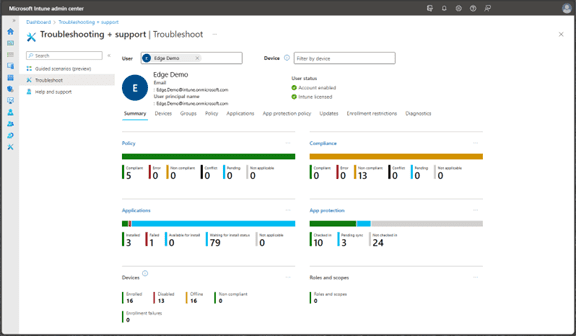
Charlotte King: XMA group currently has all Android devices enrolled in Intune. Although there is a security baseline in place covering encryption, patching, etc. this change in device use should trigger a review of that baseline to ensure it remains fit for purpose given the significant increase in usage and in the variety of applications used which is likely to occur.
Similarly, the IT Use Policy should not require changes but should be reviewed in the context of this new usage. Some elements will increase in priority, for example the use of unauthorised charging cables (which presents a security risk) may need additional training.
The same Smart Update process used on Windows devices, which monitors user experience to trigger a device refresh rather than arbitrary dates, should be extended to Android devices.
Remote support tools should be reviewed to ensure that the same level of ease of use and functionality in remote device access is provided for Android devices as is currently available for Windows devices and the security of those tools must be assessed.
Historically XMA has seen higher rates of breakage on mobile devices. This will need to be factored into the costings for a device use change unless it can be mitigated via device selection or accessories. This is especially significant given that it is likely that a more expensive device would be issued.
[note from Scott – I am doing some testing on devices of different specifications to see what’s needed for a good experience]
Security features would also be a key consideration for device selection with a highly effective fingerprint reader being the preferred solution after initial consideration but testing of alternative methods for rapid, secure device unlock would be called for.
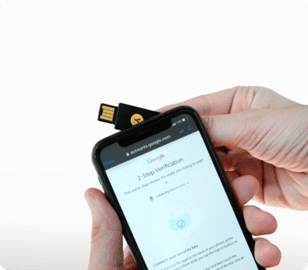
MFA would also need some consideration. Currently the mobile device is used as the MFA platform deliberately to separate it from the primary device, this would not be possible where an android device is fulfilling both roles. Potentially a phone compatible token solution such as Yubikey would alleviate these concerns.
Testing of applications will need to occur, just as with the recent Windows 11 migration, with especial focus on key line of business apps.
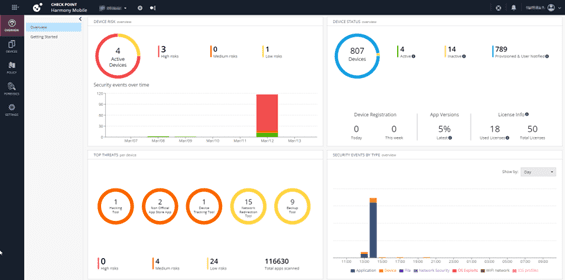
An endpoint security solution for mobile should be considered with thought given especially to capabilities that may be missing from the current desktop endpoint security solution.
Android devices are considered to be easier to manage by the XMA IT team with less administrator intervention needed for updates and a much lower frequency of updates negatively impacting user experience.
The total number of managed devices will be reduced since the majority of likely candidates for this change in device strategy currently have both a Windows and Android device.
Auditing and certifications is expected to be faster, and therefore less expensive.
There is the potential for a saving in Microsoft Licensing given the various options that are available for devices with smaller screens.
[note from Scott – I will be raising this question with Microsoft as small devices docked with large monitors is not a scenario mentioned by the current user agreement]
Scott Wright: Some interesting points, I think, and a good outline of the assurance process that will likely be required for most organisations considering an introduction of Android devices as laptop replacements.





 Monitoring by Hotjar